---
title: "利用 Node-RED 結合 Line Bot,在匯率低於數值時自動傳送信息。"
description: "使用Node-RED從台灣銀行網站自動抓取日幣匯率,結合Messaging API可以做到當日幣匯率低於一個數值時自動發送信息到你的手機。"
canonical_url: "https://hannoeru.me/posts/node-red-line-bot-jpy-currency"
---
> Index of every page on this site: [llms.txt](https://hannoeru.me/llms.txt)
使用 Node-RED 從台灣銀行網站自動抓取日幣匯率,結合 Messaging API 可以做到當日幣匯率低於一個數值時自動發送信息到你的手機。
## Step 1
### 申請 Line Developer 帳號 & Messaging API
網址:[https://developers.line.biz/](https://developers.line.biz/)
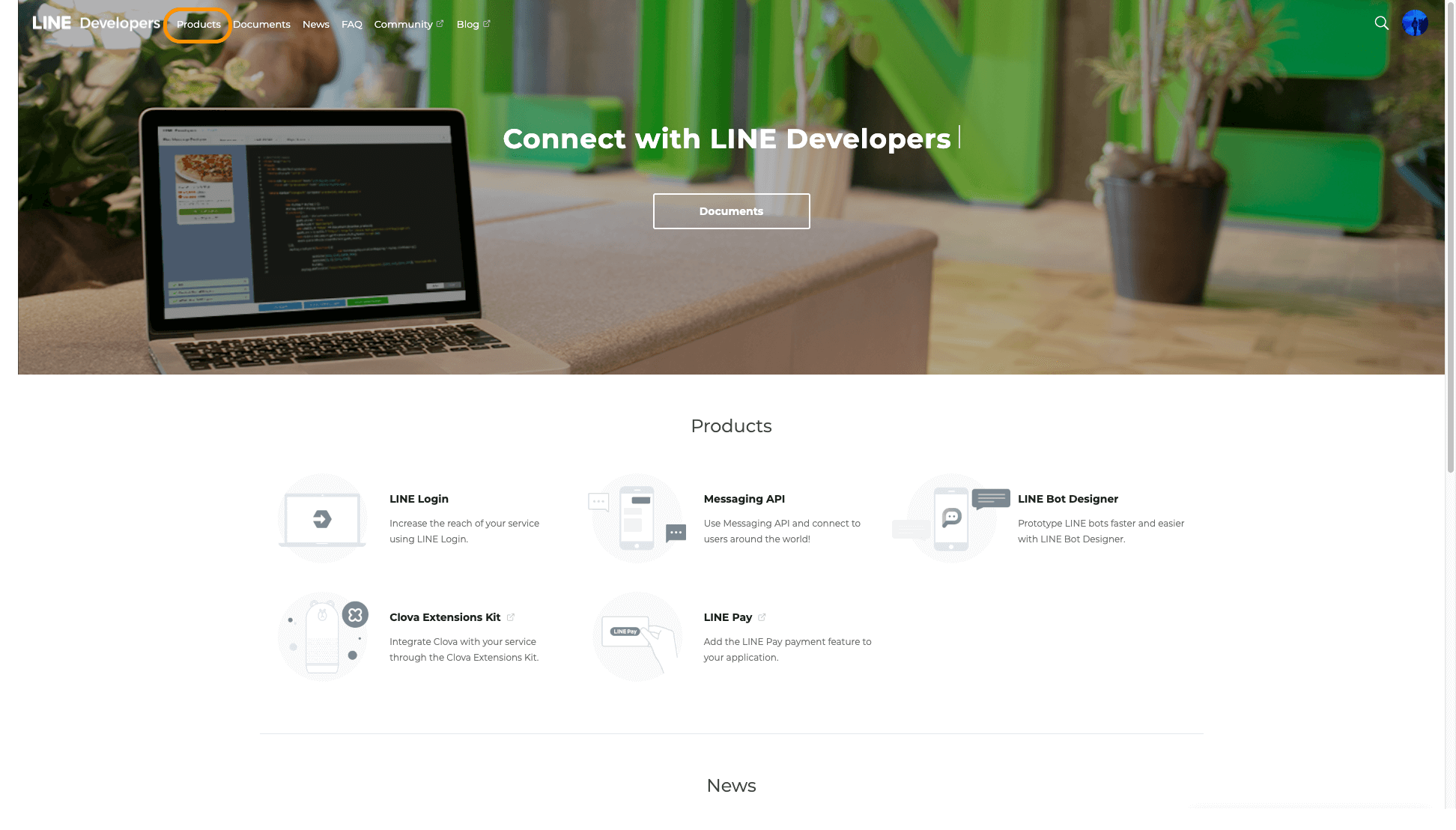
#### 申請完成後進到 Products [頁面](https://developers.line.biz/en/services/),點選 Messaging API
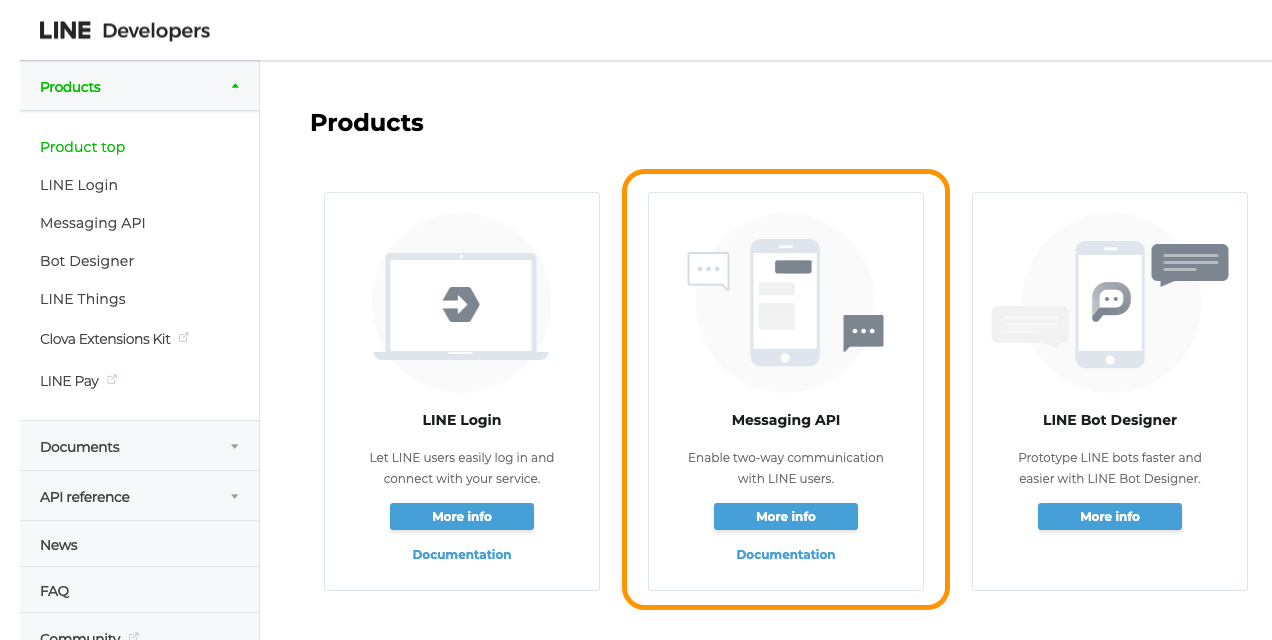
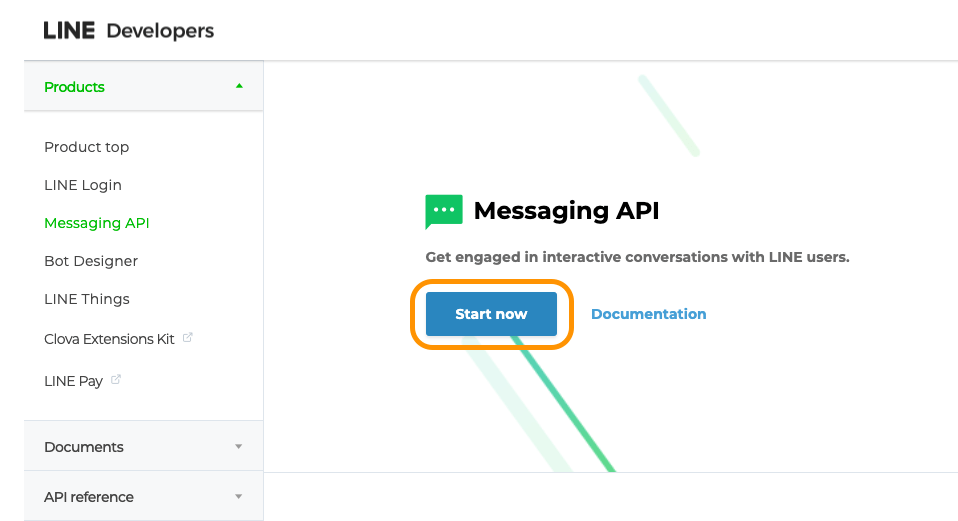
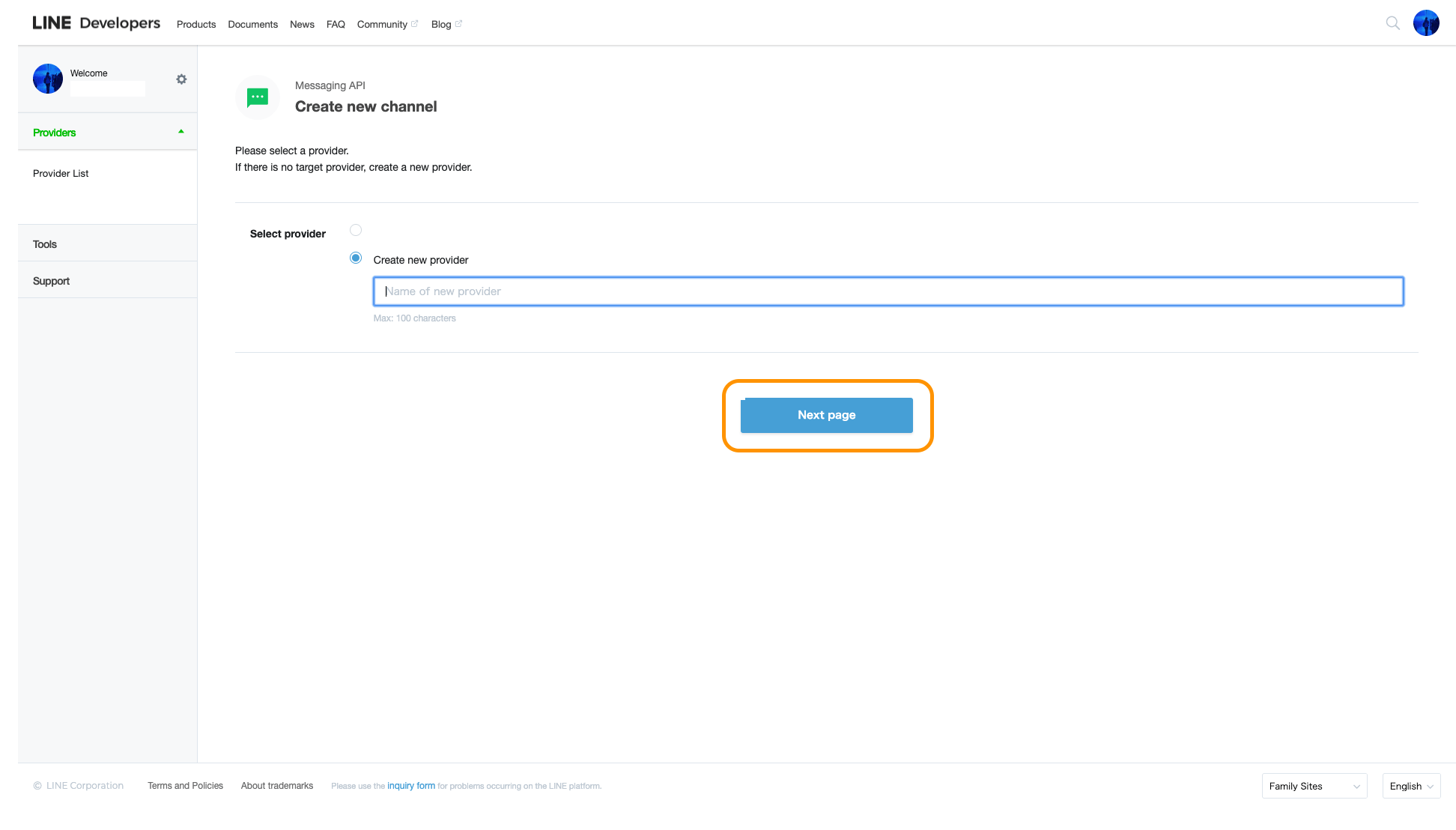
#### 設定提供者名稱(自己取名或公司名稱)
#### 填寫APP基本資料
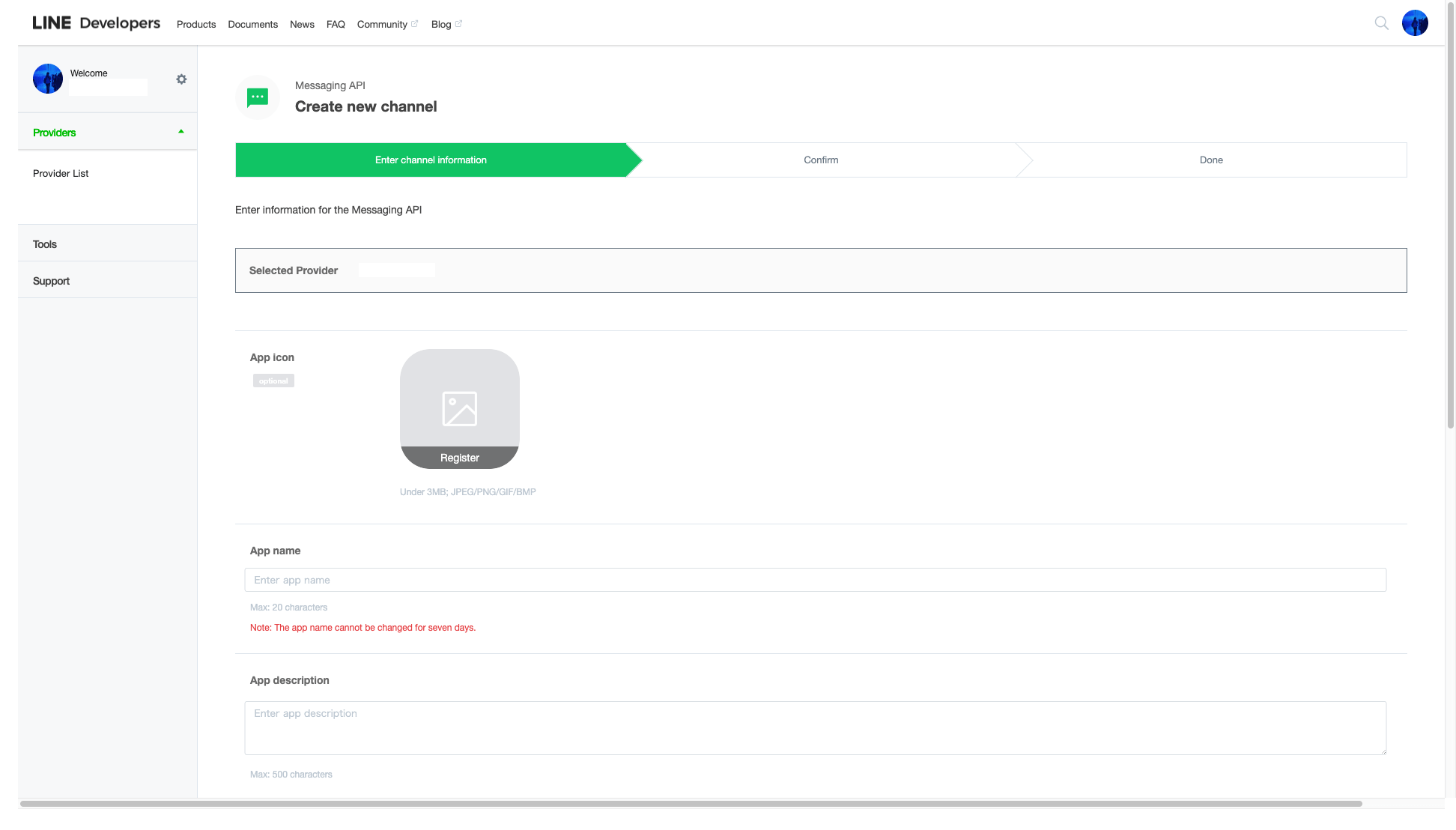
- **App icon**
- Line Bot 使用者圖像
- **App name**
- Line Bot 使用者名稱
- **App description**
- App 描述
- **Category**
- App 分類
- **Subcategory**
- App 子分類
- **Privacy Policy URL**(非必填)
- 隱私政策
- **Terms Of Use URL**(非必填)
- 使用條款
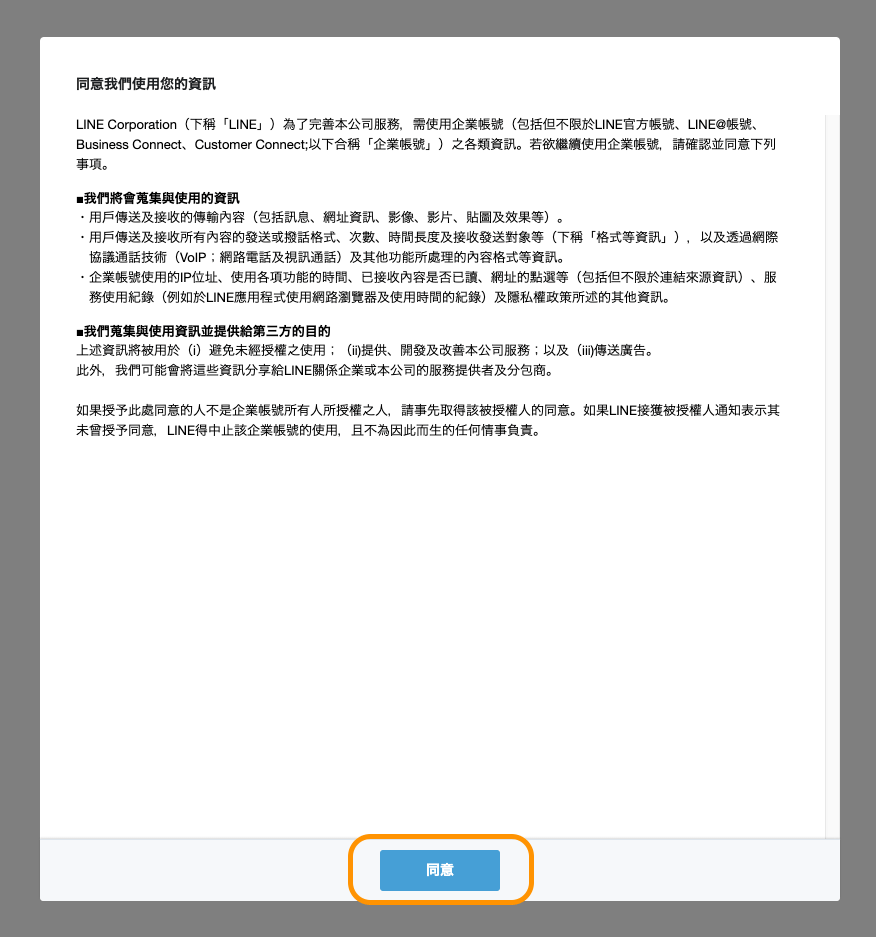
#### 閱讀完使用條款之後按下『同意』
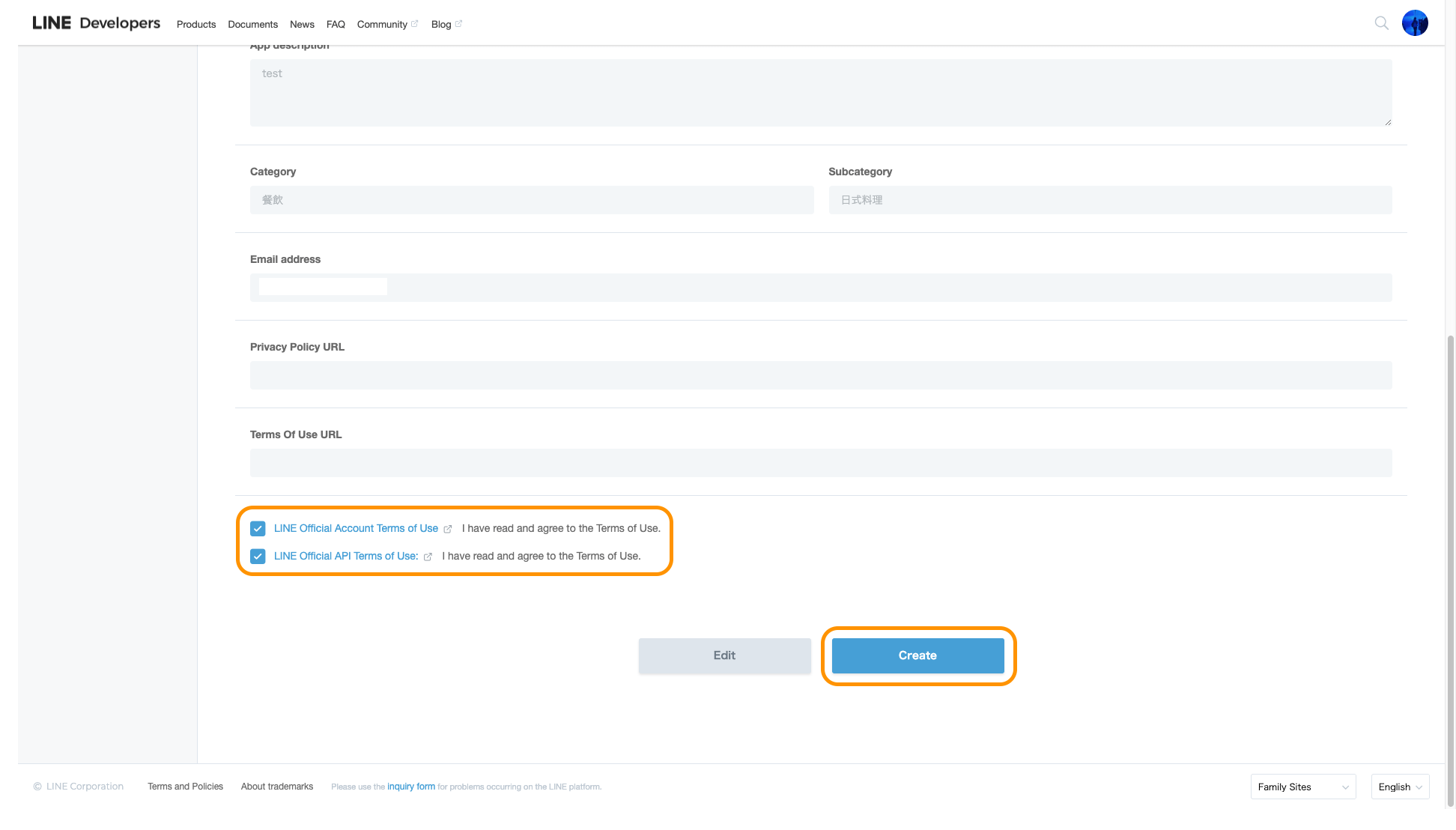
#### 確認資料沒問題,勾選 帳號 與 API 的使用條款後,按下 Create 就完成 Line Bot 的初期設定了
## Step 2
### 設定 Messaging API
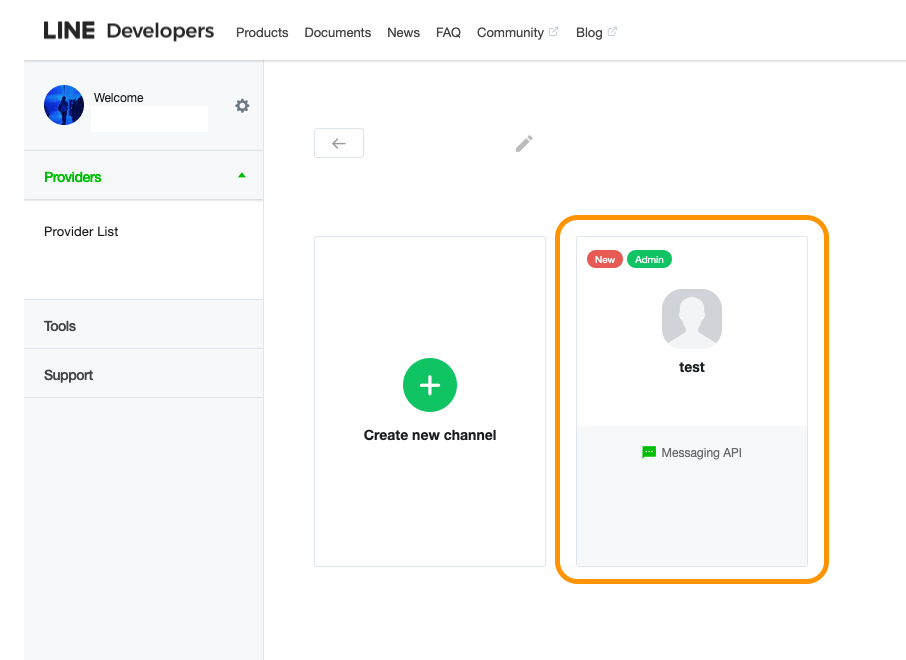
上一步驟完成後就會看到這樣的畫面,點進去你剛建立好的 App。
#### 進去找到『Messaging settings』的部分
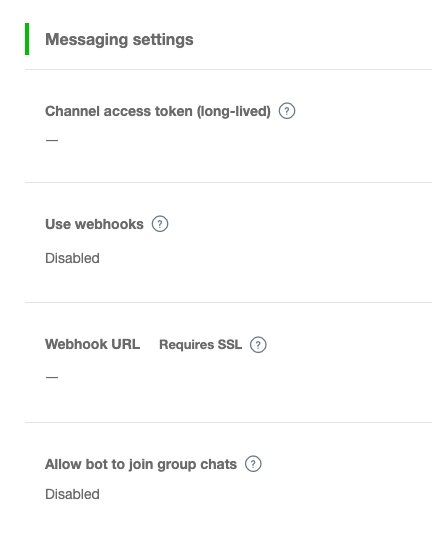
這裡有四個選項:
- **Channel access token (long-lived)**
- 生成令牌,用來存取 API,他會問你重新生成令牌後,原本的令牌要多久後才會失效,依照你個人需求填寫。
- **Use webhooks**
- 是否要使用 webhooks,他會把傳送給這個Line Bot的信息轉送到指定網址。
- 設定為:Enabled
- **Webhook URL**
- webhooks 網址位置,用來接收信息。
- 設定為:[https://nodered.com/line_hook](https://nodered.com/line_hook)
- 將 nodered.com 換成你 Node-RED 的對外名稱,要有 SSL。
- **Allow bot to join group chats**
- 允許加入聊天群組,可以回復群組信息或推送信息到群組。
- 進去後在 Chat 的下方可以設定是否允許。
## Step 3
> **更新(2026):**
>
> - 台灣銀行現在提供官方 JSON API:[https://rate.bot.com.tw/xrt/all/json](https://rate.bot.com.tw/xrt/all/json)。建議把 http request 節點的 URL 改成這個端點,用 change/function 節點解析 JSON,就不需要脆弱的 CSS selector 跟寫死的陣列索引。
> - LINE Messaging API 的 push 訊息在多數方案下改為計費制(有免費額度),長期使用請留意用量。
### 導入 Node-RED Flow
點選『Copy』複製以下代碼,匯入 Node-RED
```json
[{ "id": "f4a1039.77816", "type": "tab", "label": "Line Bot JPY", "disabled": false, "info": "" }, { "id": "1cdf8c88.5fb8d3", "type": "inject", "z": "f4a1039.77816", "name": "", "topic": "", "payload": "", "payloadType": "date", "repeat": "3600", "crontab": "", "once": false, "onceDelay": 0.1, "x": 220, "y": 120, "wires": [["e523d1ed.87656"]] }, { "id": "e523d1ed.87656", "type": "http request", "z": "f4a1039.77816", "name": "", "method": "GET", "ret": "txt", "url": "http://rate.bot.com.tw/xrt?Lang=zh-TW", "tls": "", "x": 410, "y": 120, "wires": [["cc67386b.69cc48"]] }, { "id": "cc67386b.69cc48", "type": "html", "z": "f4a1039.77816", "name": "filter", "property": "payload", "outproperty": "payload", "tag": ".rate-content-cash.text-right.print_hide", "ret": "html", "as": "single", "x": 569, "y": 120, "wires": [["6f5c428c.c222ec"]] }, { "id": "6f5c428c.c222ec", "type": "function", "z": "f4a1039.77816", "name": "Get JPY Currency", "func": "var currency = 0.28;\n\nvar data = {\n jpy: Number(msg.payload[15])\n}\n\nvar isLow = flow.get('isLow') || false;\nmsg.payload = data\nif (data.jpy < currency && !isLow) {\n isLow = true;\n flow.set('isLow', isLow);\n return msg;\n}\nif (data.jpy > currency && isLow) {\n isLow = false;\n flow.set('isLow', isLow);\n}", "outputs": 1, "noerr": 0, "x": 754, "y": 120, "wires": [["ef3dd37a.900db", "3d5e1d3d.8d0e92"]] }, { "id": "3d5e1d3d.8d0e92", "type": "debug", "z": "f4a1039.77816", "name": "", "active": false, "tosidebar": true, "console": false, "tostatus": false, "complete": "payload", "x": 1004, "y": 120, "wires": [] }, { "id": "ef3dd37a.900db", "type": "function", "z": "f4a1039.77816", "name": "傳送信息", "func": "CHANNEL_ACCESS_TOKEN = 'Messaging API Token';\nUSER_ID = '使用者ID(不是Line ID)';\nmessage = {\n type:'text',\n text:'目前日圓匯率:'+msg.payload.jpy\n};\nheaders = {\n 'Content-Type': 'application/json; charset=UTF-8',\n 'Authorization': 'Bearer ' + CHANNEL_ACCESS_TOKEN,\n};\npayload = {\n 'to': USER_ID,\n 'messages': [message]\n};\nmsg.headers = headers;\nmsg.payload = payload;\nreturn msg;", "outputs": 1, "noerr": 0, "x": 994, "y": 170, "wires": [["1a1d9d91.e25812"]] }, { "id": "1a1d9d91.e25812", "type": "http request", "z": "f4a1039.77816", "name": "Messaging API 傳送", "method": "POST", "ret": "txt", "url": "https://api.line.me/v2/bot/message/push", "tls": "", "x": 1216, "y": 170, "wires": [[]] }, { "id": "115048dd.aa6ef7", "type": "http in", "z": "f4a1039.77816", "name": "Messaging API 接收", "url": "/line_hook", "method": "post", "upload": false, "swaggerDoc": "", "x": 239, "y": 203, "wires": [["c3a26b18.b658b8"]] }, { "id": "c3a26b18.b658b8", "type": "debug", "z": "f4a1039.77816", "name": "", "active": true, "tosidebar": true, "console": false, "tostatus": false, "complete": "false", "x": 434, "y": 203, "wires": [] }, { "id": "9035f1cb.02bb5", "type": "inject", "z": "f4a1039.77816", "name": "發送測試信息", "topic": "", "payload": "{\"jpy\":\"測試信息\"}", "payloadType": "json", "repeat": "", "crontab": "", "once": false, "onceDelay": 0.1, "x": 732, "y": 202, "wires": [["ef3dd37a.900db"]] }]
```
#### 匯入後看起來像這樣

#### 自定匯率
進入到『Get JPY Currency』function 節點後
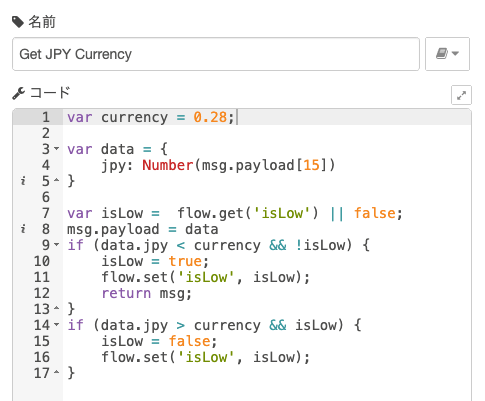
修改第一行的『currency』= 你要的匯率,結尾記得加上『;』
```js
var currency = 匯率;
```
#### 取得使用者ID
回到 Line Developers 的頁面,在 Messaging API 的設定頁面下可以找到『Bot information』,下方有 QR Code 可以加 Line Bot 好友。
之後傳送信息給 Line Bot,在 Node-RED 的 Debug視窗 就可以看到信息資訊:
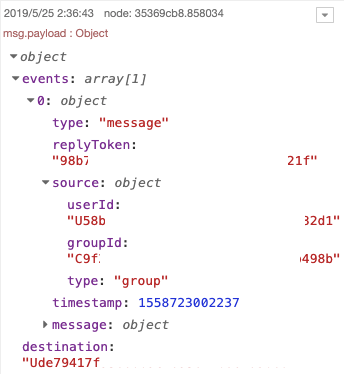
這時候在event
0
.source下方就可以看到 userId,使用 userId 作為『使用者ID』。
如果你想要推送信息到群組的話,將 Line Bot 加入到聊天群組後發一則信息,就會得到 userId & groupId,使用 groupId 作為『使用者ID』。
#### 設定 Token & 使用者ID
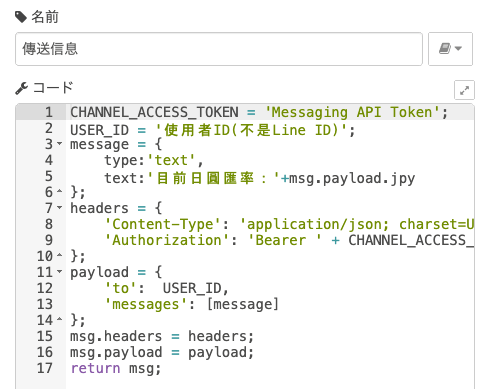
要設定的有兩個東西:
- **CHANNEL_ACCESS_TOKEN**:在前面設定 Messaging API 的時候有一個『**Channel access token (long-lived)**』按下『Issue』後會生成令牌(Token),請在此填入令牌。
- **USER_ID**:『使用者ID』
## Step 4
### 最終測試
按下『發送測試信息』你應該會收到像這樣的測試信息:
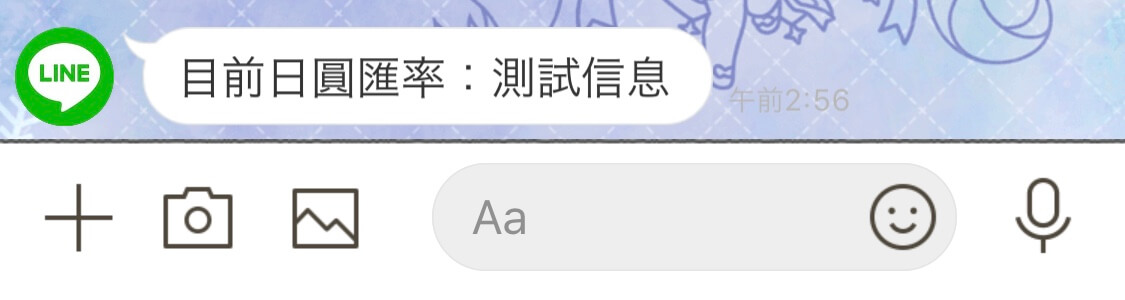
如果收到了,恭喜你完成了!
如果沒有收到,回去檢查看看是不是哪裡做錯了。
如果有Bug歡迎在下方留言回報。
### 參考資料
[Node-REDを使ってLINE BOT を作ってみた](https://ameblo.jp/mak1005/entry-12385806653.html)
[LINEチャットボットとWatsonを連携する](https://medium.com/@taiponrock/line%E3%83%81%E3%83%A3%E3%83%83%E3%83%88%E3%83%9C%E3%83%83%E3%83%88%E3%81%A8watson%E3%82%92%E9%80%A3%E6%90%BA%E3%81%99%E3%82%8B-8a7d89a49e57)
[LINE Messaging APIを使ってBotを作成する](https://simple-it-life.com/2017/08/20/line-bot/)
## Sitemap
See the full [sitemap](https://hannoeru.me/sitemap.md) for all pages.